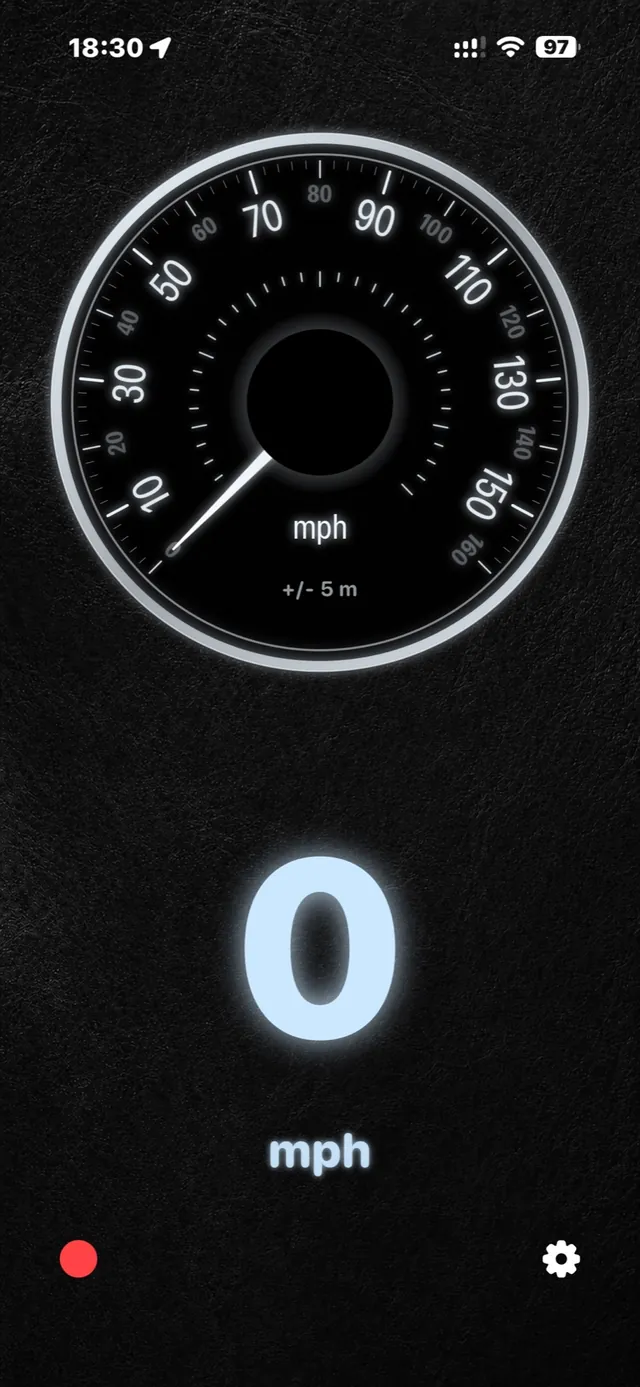
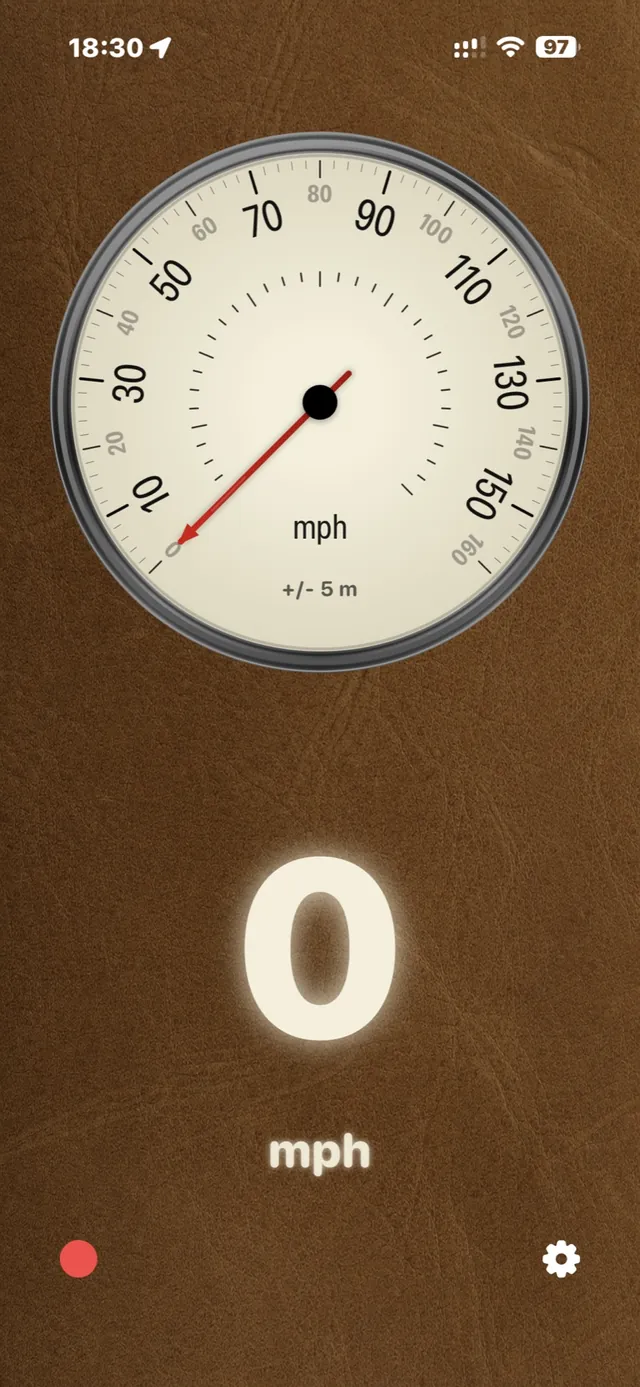
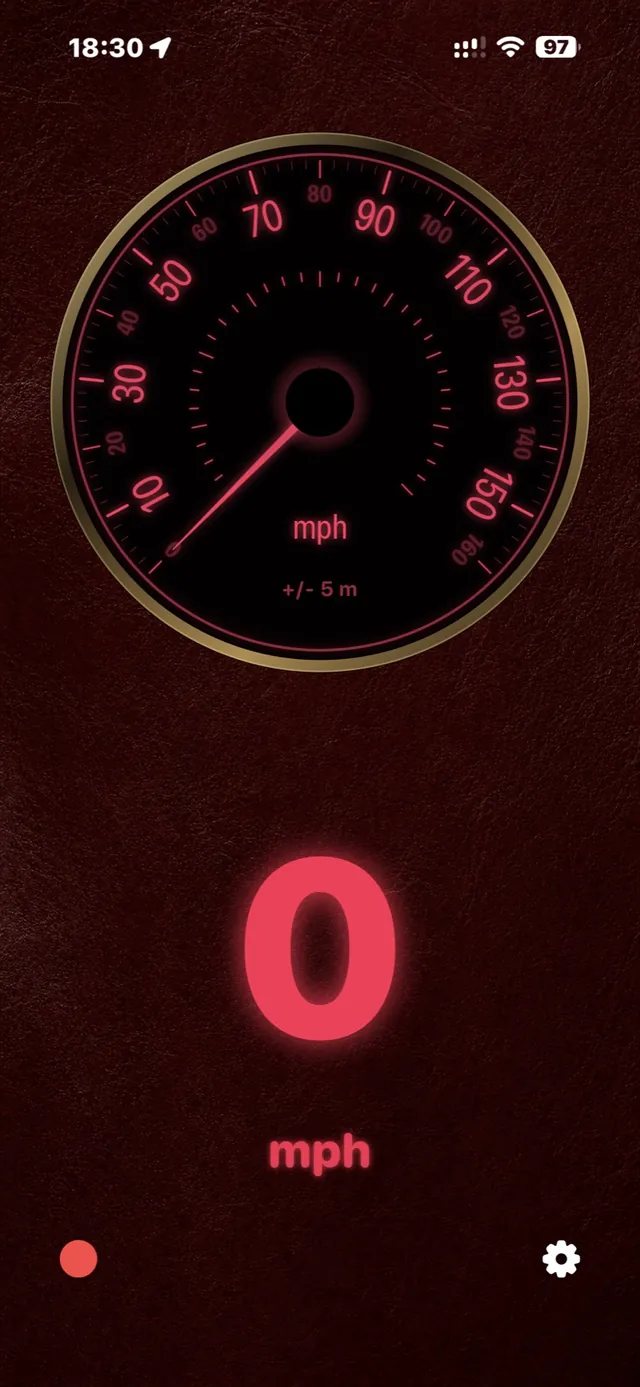
Classic instruments, your way.
Pair any dial with any leather background. Then use the physically tuned speedometer on its own as a clear instrument, or record the journeys you care about.
Three dials. Three leathers. Nine combinations.
Classic, Cerise and Frost dials can each go with Black, Oxblood or Tan leather. The dial and background are set separately, so you're not stuck with three presets. Build the combination that suits you.
Choose both from the segmented pickers in Settings, or change them without leaving the speedometer: swipe left or right across the dial or large digital number to cycle the dial, and swipe across the leather background to cycle the wallpaper. Your choices are saved automatically.
Record the road, not the stops.
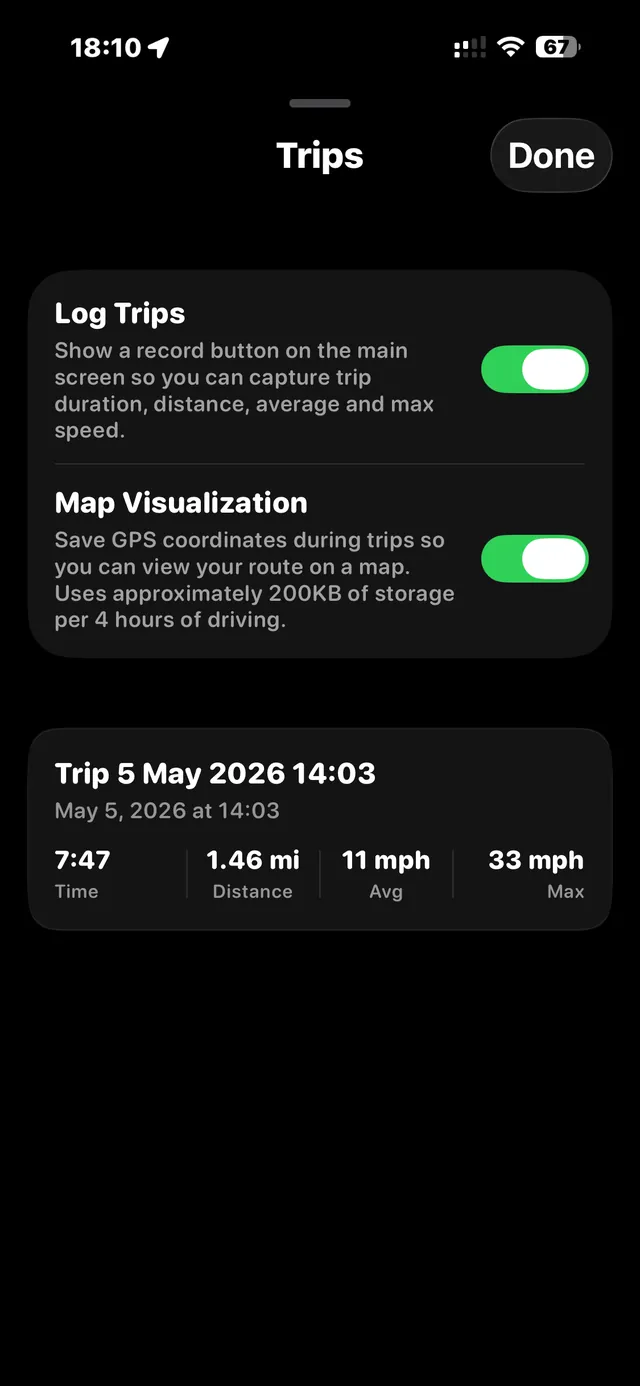
Turn on Log Trips and the red record control appears on the speedometer. Tap it to start, tap again to pause or resume, and use the separate square stop control when the journey is finished. Paused time is excluded, while each saved card keeps the duration, distance, average speed, and top speed.
Turn on Map Visualisation before you record, and tapping a saved trip opens its route in an interactive Apple Maps view. Route coordinates are stored locally on your iPhone and never uploaded.
Key features
- Three interchangeable analogue dials: Classic, Cerise, and Frost
- Three leather-grain backgrounds: Black, Oxblood, and Tan
- Nine independent dial and background combinations
- Instant switching in Settings or with horizontal swipes
- Physically-tuned needle motion and real-time GPS speed tracking
- Clear digital speed display alongside the analogue dial
- Optional trip recorder that can be toggled on or off
- Manual start, pause, resume, and stop controls for recorded trips
- Recorded trip cards with duration, distance, average and top speed
- Map Visualisation with saved routes on an interactive Apple Maps view
- Miles per hour and kilometres per hour support
- No account or sign-in required
Location access that matches the feature.
The live speed display uses GPS while you're using the app. Trip recording may need Always location access, so a trip keeps going if the app moves into the background, for example during a phone call. Background location switches off as soon as you stop the trip.
Try it free
When the trial ends, a one-time purchase gives you lifetime access. No subscription.