Grok Real-Time Voice 3.0
Eve for Mac and Eve R (on TestFlight) now both run on Grok Real-Time Voice 3.0, the upgraded realtime voice chat that powers every conversation.
She gets to know you — and it shows.
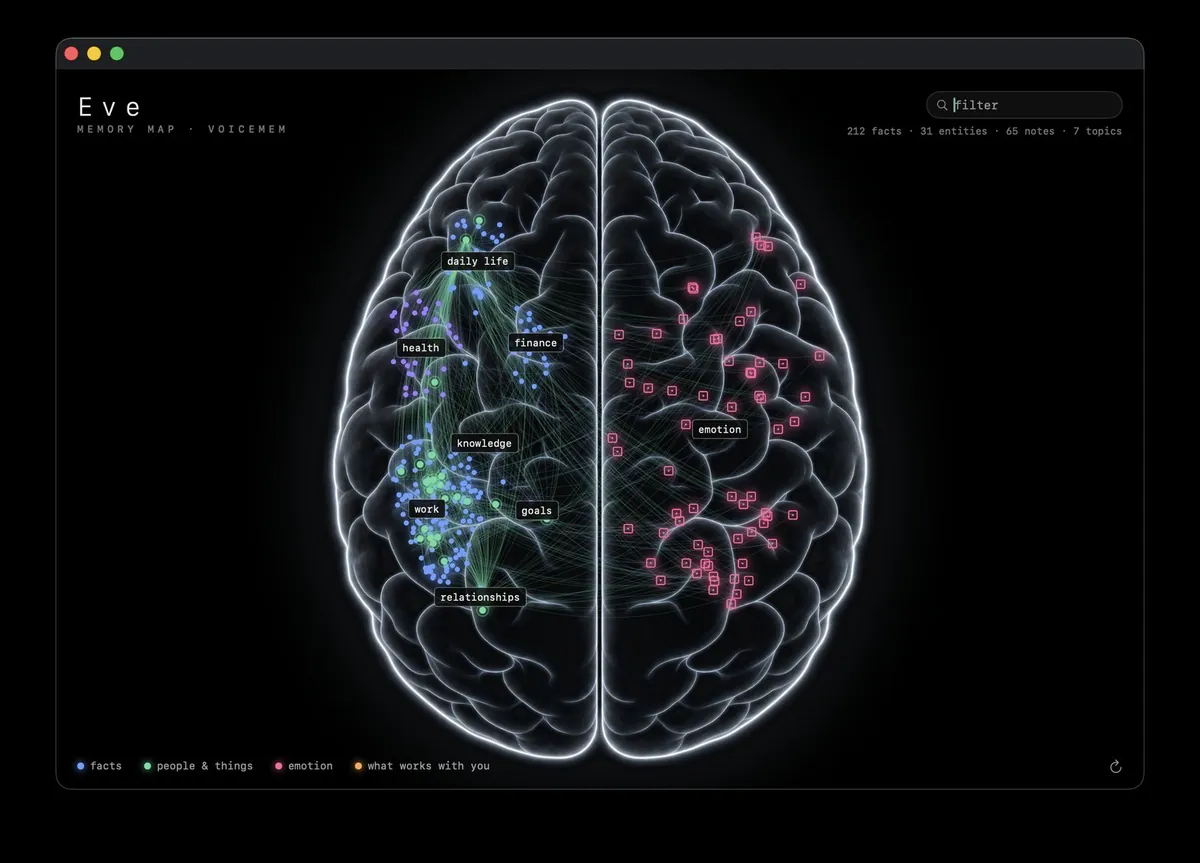
Every conversation with Eve is distilled into facts, people, notes, and topics that she keeps on your Mac. Ask about something you mentioned weeks ago and she just knows. Watch it all grow in her memory map.
A conversation, not a command line.
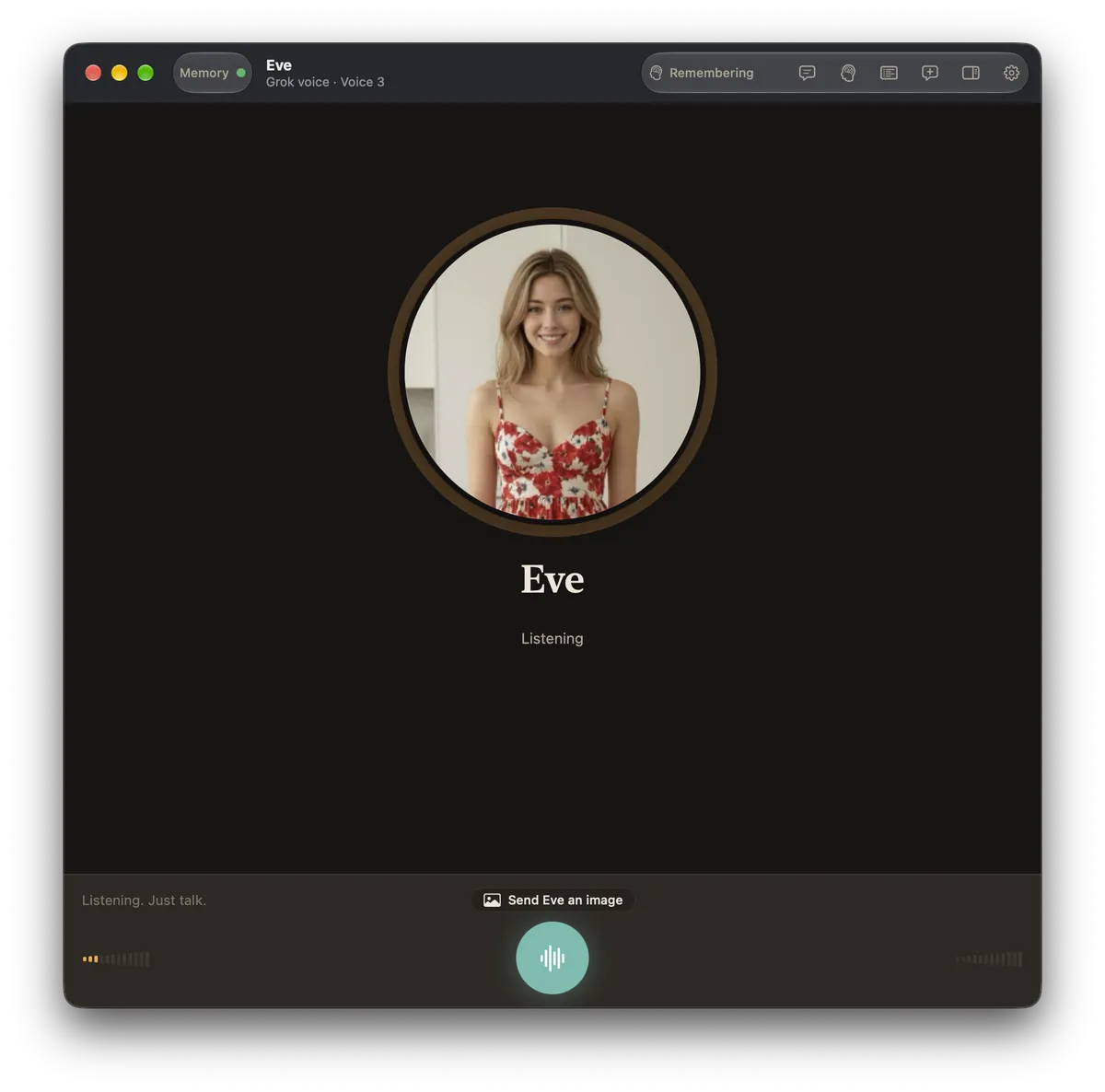
Click the mic and start talking. Eve listens, thinks and replies in a natural voice. Server-side turn detection knows when you've finished, so you don't get awkward pauses or get cut off.
Every exchange lands in a clean transcript with little chips showing when Eve recalled something from her memory to answer you.

Watch her memory map fill in.
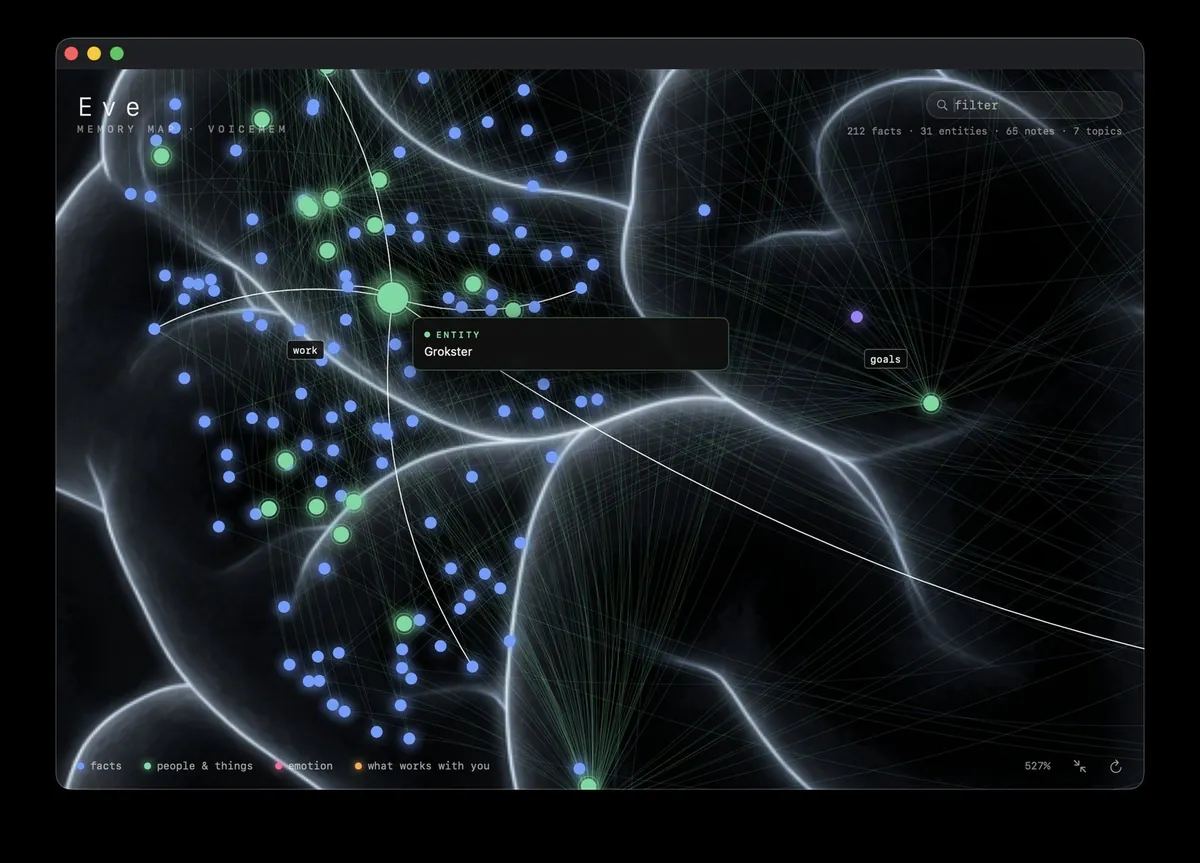
Eve's long-term memory isn't a black box. Her memory map shows everything she knows (facts, people and things, emotions, and what works with you) as a living brain you can zoom into, filter and explore.
Hover any node to see exactly what she remembers. Memories are written after every turn and recalled on demand, mid-reply, when they'd help.
Nothing between you and the conversation.
There's no text box and no clutter. Eve's main window is calm and voice-first: her face, her name and a mic. Start a conversation with a click or a keyboard shortcut, and the transcript is there when you want to look back.
Settings that apply instantly.
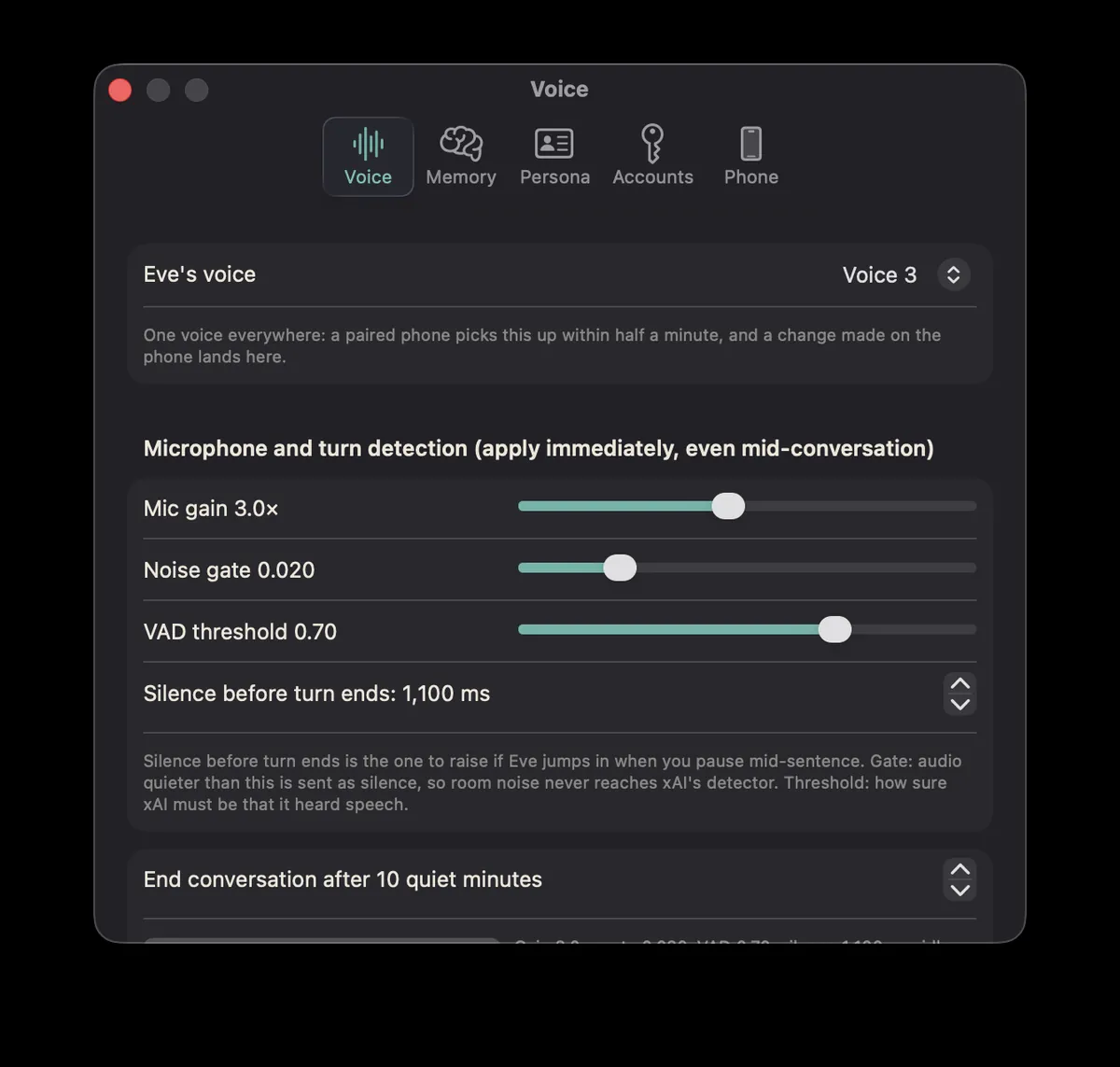
Mic gain, noise gate, voice activity threshold, and how long a silence lasts before your turn ends. Every control applies immediately, even mid-conversation, so you can tune Eve while you're talking to her.
One voice everywhere: pick Eve's voice once and a paired iPhone picks it up within half a minute.
Show Eve an image.
Click the Send Eve an image button next to the mic and pick a picture: a photo, a screenshot, a document, something you're stuck on. DeepSeek's vision model describes it in a second or two, then the two of you just talk about it.
Images live in the conversation, not in her memory map — the only thing she keeps is what the two of you say about them, exactly like everything else you discuss.
Eve R — Eve in your pocket.
Eve R puts Eve on your iPhone. You talk to xAI directly from the phone, and her memory stays on your paired Mac, which the phone reaches over your private Tailscale network. Scan a QR code once to pair, and she sounds the same on both.
Please note: Eve R is a companion to the Mac app and only works if Eve is installed and running on your Mac. Without the Mac app, Eve R can't do anything for you, so get Eve above first. To keep her reachable from your phone, turn on Keep Mac alive (at the bottom of the Phone tab in Eve's Settings) and set your MacBook to stay awake.
Two things Eve can't work without.
Eve is free, but she needs two accounts of your own. Both are mandatory. Without them, the app won't work:
- An xAI account — either an xAI subscription you can sign in with, or an xAI API key. This powers Eve's voice and conversation.
- A DeepSeek API key — this powers Eve's long-term memory, distilling and organising everything she remembers about you, and her image understanding when you show her a picture.
You'll also need a Mac running macOS Tahoe 26 or later. And if you want to connect Eve R on your iPhone, you'll need Tailscale (100% free) installed on both devices so the phone can reach her memory privately.
Key features
- Natural, voice-only conversations powered by xAI's Grok realtime voice
- Server-side turn detection — she knows when you've finished, and replies straight away
- Real long-term memory: recalled mid-conversation, written after every turn
- Send Eve an image — she sees photos, screenshots, and documents, and talks them over with you
- A living memory map you can zoom, filter, and explore
- Instant-apply voice and microphone settings
- One voice across your Mac and a paired iPhone
- Signs in with your xAI subscription or API key
- Self-contained: the whole memory engine runs on your Mac, and your memories never leave it
- Signed and notarised direct download — no App Store required
- Also available — Eve R for iPhone, now in open TestFlight testing
Free to download.
Eve herself is free. To use her you'll need an xAI account (subscription sign-in or API key) for voice, and a DeepSeek API key for memory and image analysis — both are required. The download is a signed, notarised disk image (about 900 MB, because her entire on-device memory engine ships inside the app). Requires macOS Tahoe 26 or later.